
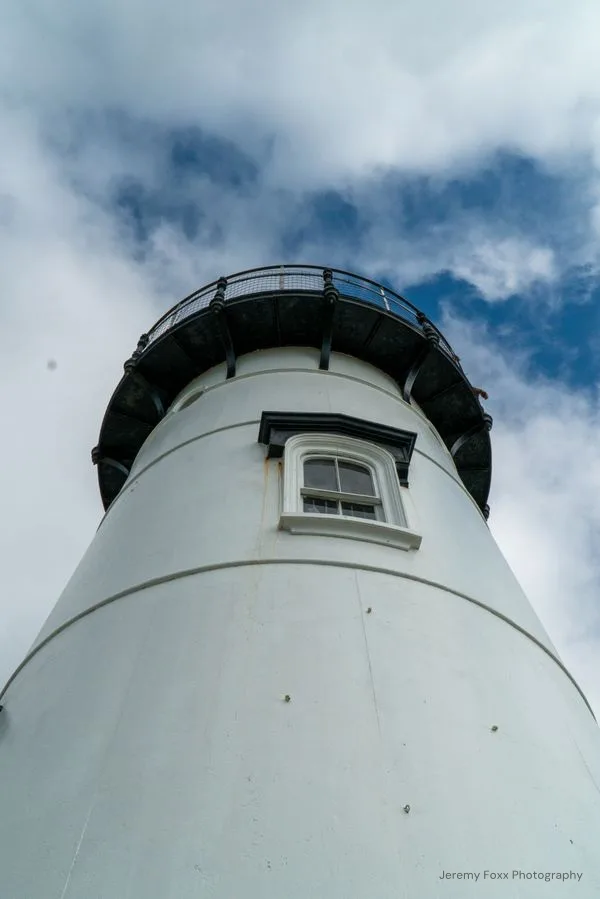
Looking up the white wall of a lighthouse toward its dark lantern and a break in the clouds.
A closer look
Stand this close to a lighthouse and its white wall can fill the whole bottom of your picture. Follow that white wall up past the little window. By the time you get to the lantern, there’s room for blue sky again.
At 19 mm there’s room for both sides of the white wall even this close to its base. The small f/13 opening helps carry detail up the tower, from the seams near the bottom toward the rail around the lantern. The taper comes from looking up.
Try it yourself
Stand close enough to a tower that its wall extends beyond the bottom corners of a vertical frame. Tilt upward, center the lantern, and move a step sideways to put clean sky around its rim.
Camera settings
- Camera
- Sony α7R II (ILCE-7RM2)
- Lens
- E PZ 18-105mm F4 G OSS
- Focal length
- 19 mm
- Aperture
- f/13
- Shutter speed
- 1/2500 s
- ISO
- 640
Capture settings from the matching photograph in Jeremy’s Lightroom catalog.
What do these settings mean?
- Camera · Sony α7R II (ILCE-7RM2)
- This is the camera body that recorded the picture. Inside it is the sensor that collects the light coming through the lens.
- Lens · E PZ 18-105mm F4 G OSS
- The lens focuses light onto the sensor. On a zoom lens, two numbers in millimeters tell you its widest and tightest views.
- Focal length · 19 mm
- This is the lens setting in millimeters. From the same spot on the same camera, fewer millimeters fit more of the scene into the frame. More millimeters make a distant subject fill more of the picture.
- Aperture · f/13
- Think of the opening in the lens. At f/4 it’s wider than at f/8, so more light comes through. At the same focus distance and focal length, a wider opening also makes it easier to blur what’s behind your subject.
- Shutter speed · 1/2500 s
- This is how long the sensor gathers light, measured in seconds. With a fraction, the bigger the number on the bottom, the shorter the exposure. Give a moving subject more time and a sharp edge can turn into a streak.
- ISO · 640
- ISO sets how brightly the camera renders the light it collected. If the picture is too dark and a slower shutter would blur the shot, raising ISO can help. In low light you may also see grain in the shadows.