
Mobile video
Zhiyun Smooth 4
A motorized phone stabilizer with a dial under your thumb for changing focus or zoom during a video.
As an Amazon Associate I earn from qualifying purchases.
Rehearse a change of focus
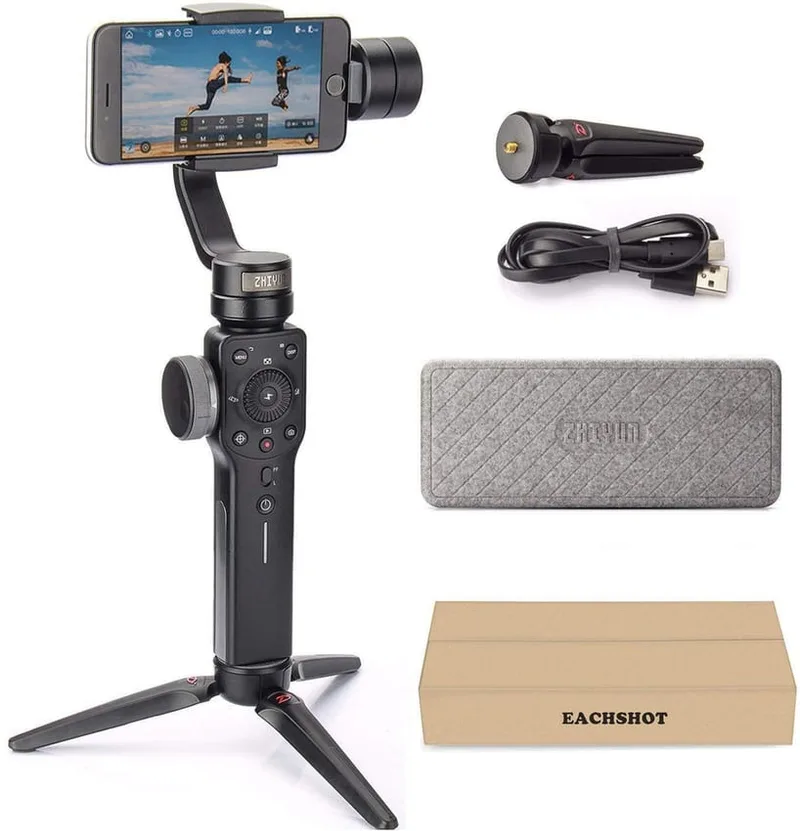
Start from a stand
For the first take, use the small tripod on a level table. Check that turning the side dial changes focus in your chosen app before adding any camera movement.

Pick two subjects
Nearby padlocks and a distant steeple give the eye two distinct places to land. Use a similar near-and-far pair for your test. Hold briefly on each subject so you can judge where the focus settles.
Camera settings
Sony α7R II (ILCE-7RM2) · E PZ 18-105mm F4 G OSS · 18 mm · f/4 · 1/8000 s · ISO 320Where it helps
Say there’s a lens on the table and a print on the wall behind it. You want the viewer to notice the lens, then look up at the print. The dial lets you move focus from one to the other while keeping your fingers off the screen. There are quite a few controls under that thumb. Run through the move once before recording.
How to use it
Balance the phone with its shooting case or accessories in place. Check app compatibility and choose the dial function before recording. Mark the start and end of a short movement, then rehearse it once.
Try it yourself
Set a camera lens in the foreground with a framed print behind it. Keep the phone still on the gimbal and try moving focus between the two subjects. Then test the same move while walking.
What reviewers found
Digital Camera World and Android Authority both produced smooth moving footage and liked the physical controls. Their experiences with the software differed. Digital Camera World found the interface easy to navigate, while Android Authority had to reconnect manually and took longer to learn the controls. Both reviewers identified phone weight as a practical limit.