
Flash
Godox V860II-S
A flash that slides onto the little metal mount on top of the Sony. Point it at a nearby wall and you can change which side of a face catches the light.
Give bounced light a direction
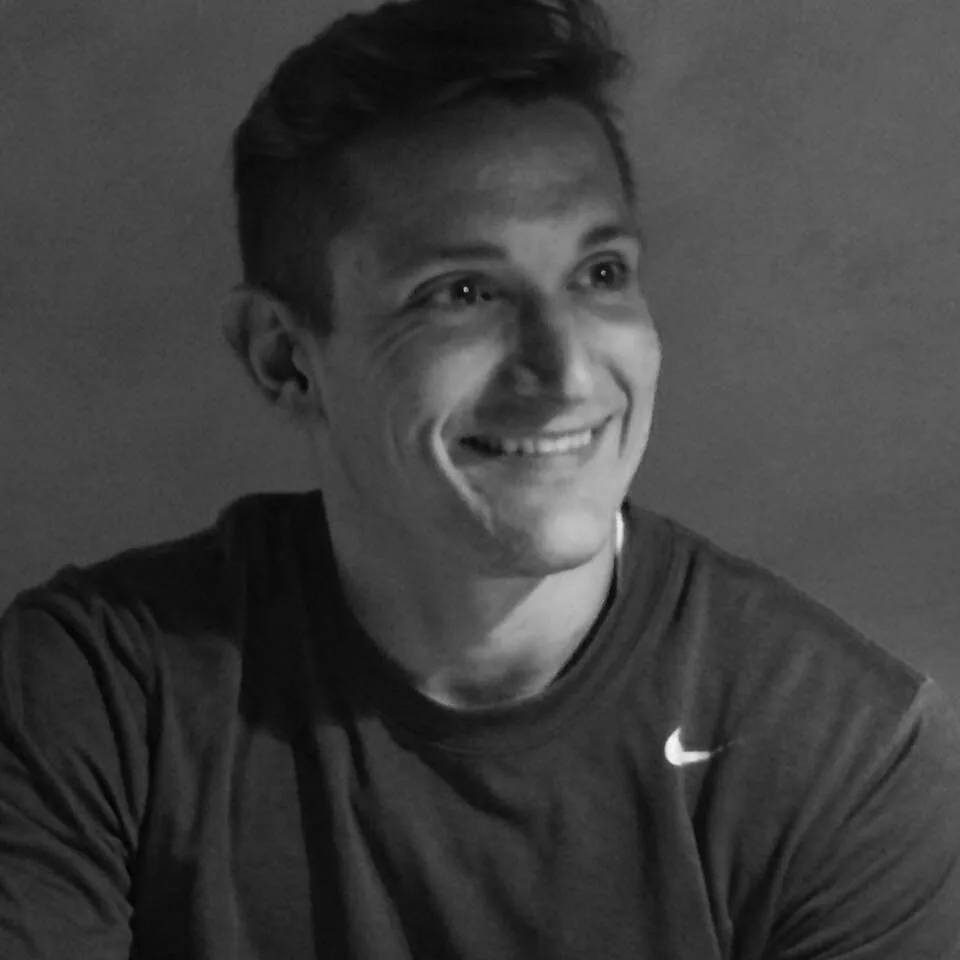
Read the cheek
One cheek catches the light while the other falls into shadow. Use this portrait as a reference for a bounce exercise. Turn the flash toward a neutral side wall and watch whether the shadow still gives the face shape.

Read the ridges
The folds in these pale meringues are visible because highlights sit next to narrow shadows. A pale, textured subject makes a good tabletop bounce test. Keep the flash power fixed and change the direction of the head.
Camera settings
Sony α7R II (ILCE-7RM2) · FE 50mm F1.8 · 50 mm · f/4.5 · 1/20 s · ISO 100Where it helps
Picture a friend sitting beside a window. One cheek catches the daylight and the other disappears into shadow. Aim this flash at a pale wall on the darker side. The light hits the wall, spreads out and comes back to the face. That’s what photographers mean by bouncing a flash. A red wall can send red light back, so take a look at the paint first.
How to use it
Lock the flash onto the camera with the power off. Turn it on and try TTL, short for through the lens. The camera measures the light coming back from a brief test flash and works out how much flash to use. If the shadow cheek looks too bright, dial down flash exposure compensation and take another shot.
Try it yourself
For a seated portrait by a window, try bouncing from the wall opposite the window. Compare the shadow under the far eye with a second frame made using window light alone.
What reviewers found
PhotoRec’s Sony-specific assessment found the flash well built and highlighted its built-in radio control. A Sony owner on Kakaku reported using a single battery across multiple events and reducing flash power to shoot quicker sequences. Together the accounts make a case for this model when shooting repeated portraits. The battery example comes from one photographer’s settings and pace.