
Mobile video
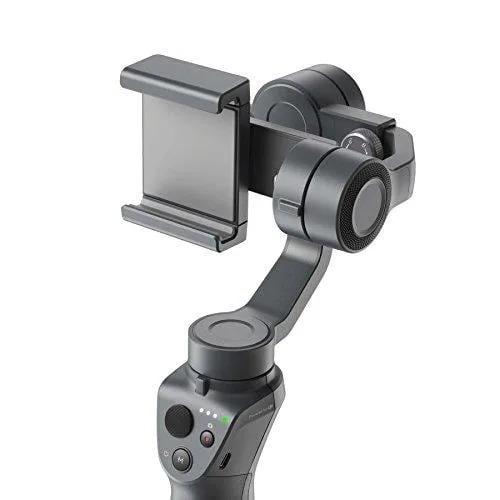
DJI Osmo Mobile 2
A motorized handle that helps keep a phone level while you walk with it. That kind of stabilizer is called a gimbal.
As an Amazon Associate I earn from qualifying purchases.
Plan a level move past a sign
Balance the phone
With the motor off, seat the phone in the clamp and balance it with its shooting case fitted. Check that the long edge stays level before powering up.

Follow the bulbs
The rows of bulbs on the TACO TACO sign give a sideways tracking shot a built-in level. Walk parallel to a storefront like this, keeping one row in the same part of the frame. Compare the first and last letters on playback.
Camera settings
Sony α7R II (ILCE-7RM2) · FE 50mm F1.8 · 50 mm · f/1.8 · 1/40 s · ISO 100Where it helps
Walk past a row of shop windows and watch the tops of the frames in your video. Every little tilt of your wrist shows up there. The Osmo’s motors help keep those lines steady. Your footsteps can still make the whole picture bob. If you’re looking at this older model, check that your phone fits and runs the app you want.
How to use it
With the motors off, mount and balance your phone in the orientation you intend to shoot. Turn it on, check the horizon and rehearse your path. Keep your steps short so vertical movement stays gentle.
Try it yourself
Start close to a neon shop sign and walk parallel to the storefront. Film the same path handheld and on the gimbal. Watch the corners of the sign to spot the difference.
What reviewers found
Both TechRadar and Tech Advisor saw smoother walking footage. TechRadar still saw tiny vibrations with some phones. Tech Advisor found less improvement on phones with good built-in stabilization and struggled to reconnect one Android handset. Those tests make a strong case for trying this gimbal with the phone and app you actually use.